


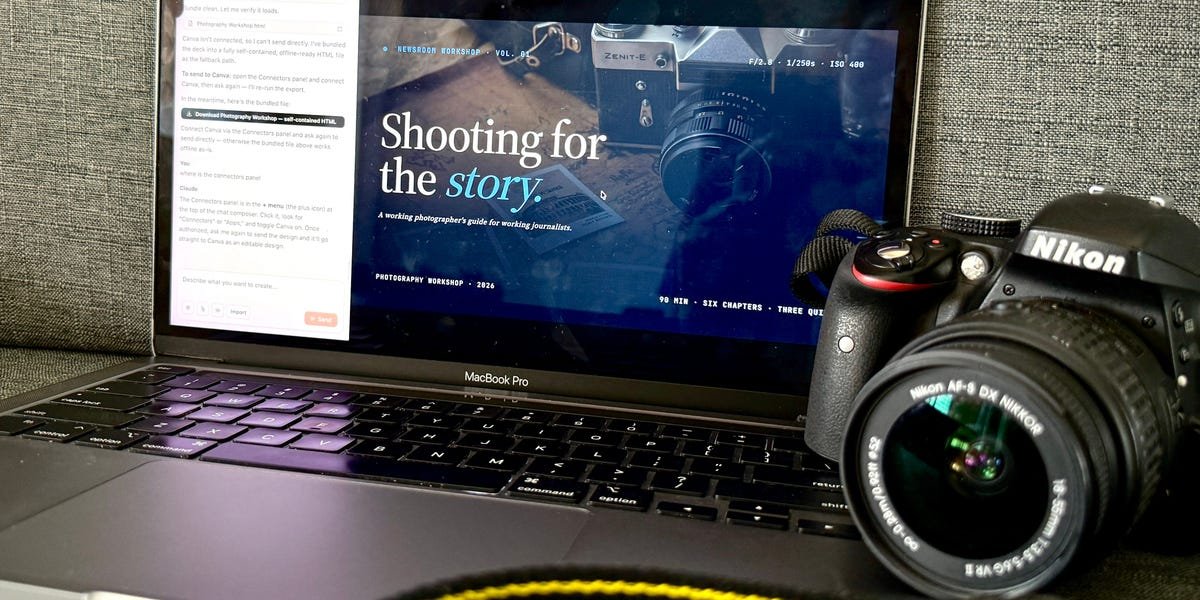
For over a decade, Canva has been one of the most popular graphic design platforms. Now, Anthropic has an opportunity to capture some of that market with AI.
Loading audio narration…
Anthropic announced its latest Opus 4.7 AI model on April 16, and a day later announced the launch of Claude Design, a tool which it said allows users to “create polished visual work like designs, prototypes, slides, one-pagers, and more.”
Designs created by Claude Design can be exported directly to Canva, Anthropic said in the release.
The new Claude feature comes as the industry warns of a “SaaSpocalypse,” in which AI threatens the business models of software companies like Canva, website builder Wix, and management platforms Workday and Asana.
To better understand the SaaSpocalyse fears, I tested how Claude Design and Canva stack up when tasked with designing the same slide deck.
For this test, I asked Claude Design and Canva’s AI tool to create an improved version of the Photography 101 slide deck that I made manually in January.
Aditi Bharade
I used the deck while delivering a photography workshop for reporters at Business Insider’s Singapore bureau. Let’s just say my photography skills are better than my design skills.
I tested Canva AI first
Screenshot/Aditi Bharade
Canva, like other software companies, is embracing AI to fend off competition from AI. It’s rolling out its AI 2.0 feature to all users, turning Canva into an agentic platform that can generate editable designs.
I tested out AI 1.0, then got an early trial also to see how 2.0 stacks up against Claude.
First impressions of Canva AI: The landing page resembled other vibe-coding platforms like Lovable, Replit, and Base44, with the slogan, “What will we design today?”
I submitted my prompt, asking for a presentation split into six sections with quizzes to test understanding, and a dark minimalist design with blue accents.
Screenshot/Aditi Bharade
Canva then asked me to choose the audience type — casual, professional, or educational — as well as the deck’s style and length. And before designing the slides, Canva presented a rough outline of what each slide would include, which I could edit.
I thought that was neat.
The slides were decent, but required editing
AI 1.0 gave me two designs to choose from. One was an immediate no, with loud elements that clashed and made the text hard to read. The graphics used were also rather simplistic.
Screenshot/Aditi Bharade
The second design was better, but its text boxes overlapped, the text was misaligned, and it was at times minuscule. It also didn’t have as many photos as I’d like. I fed Canva another prompt asking it to align and standardize the text boxes, add more pictures, and make it more engaging.
Screenshot/Aditi Bharade
The final product was much better than the bad deck I made in January, something I could definitely use for a refresher workshop.
I repeated the same test a couple of days later with AI 2.0. The process was largely unchanged, except that I could manually change elements while chatting with the AI tool — a useful change from 1.0.
Screenshot/Aditi Bharade
The design from AI 2.0 was a bit boring, so I asked it to regenerate the slide deck with more images and a cleaner aesthetic.
It gave me a warning — “This will use a significant amount of your AI usage since I’ll need to regenerate each slide” — but I ended up with a slightly more polished presentation.
Screenshot/Aditi Bharade
I laughed when the AI got tired of redesigning and told me the redesign was complete, even though four slides remained unchanged. When I prompted it to look again, it hit me with the good old, “You’re right, sorry about that!”
It took a couple of prompts to get it to where I wanted, but I was impressed by Canva’s AI generation.
We were definitely off to a good start.
Then I tried Claude Design
Next, I turned to Claude Design. I had previously tried generating a logo of my initials with Opus 4.7, and the design left a lot to be desired.
Screenshot/Aditi Bharade
So I was not expecting a lot when I asked it to create the photography presentation.
To my surprise, Claude asked me in-depth follow-up questions before starting to design. It asked what camera I would be using, the skill levels of participants — beginners, phone-photo experienced, hobbyists — and even the exact shade of blue I wanted as an accent color.
And the deck it generated surpassed my expectations.
Screenshot/Aditi Bharade
For example, one slide featured a graphic of the “exposure triangle,” which illustrated how ISO, aperture, and shutter speed affect a photo’s brightness.
Claude fixed errors without any prompting
Screenshot/Aditi Bharade
But what impressed me the most about Claude Design was that it anticipated my needs.
In the first version, some text boxes overlapped. Without prompting, Claude started identifying and fixing these problems, acting as its own editor without needing any input from me.
The only problem I ran into with Claude Design was when I tried to change an image in one of the quiz slides. The question was about photographing a politician at a podium, but the picture was of a young man sitting in front of a circular window.
Screenshot/Aditi Bharade
I asked Claude to change it to a picture of a politician.
Instead, it generated the image of a farmer. I tried again — it gave me a picture of the Senate. Third time, a handshake. At that point, I gave up and asked it to revert to the picture of the guy in front of the window.
Screenshot/Aditi Bharade
It gave me some insight into the criticisms of Claude’s Opus 4.7, with users saying it burns through tokens too quickly and sometimes gives ridiculous answers.
However, it responded better to other prompts. For example, it initially lumped the five editing tips into one slide, but expanded each tip into its own slide seamlessly when I asked it to.
Canva’s final product was good, but in my view, Claude Design’s was better and required a lot less prompting on my part.
Final thoughts
At the end of building the slide decks, I remember thinking to myself, “I’m never making slides from scratch again.”
It was a close competition, but Claude Design edged it because it identified its own errors and corrected them without prompting, while Canva needed to be told what to fix.
One consideration — there is a difference in the subscription costs for both platforms. An individual subscription to Claude Pro costs $17 a month, and a Pro Max subscription costs $100 a month and allows higher token usage.
Meanwhile, Canva AI is free for use, for up to “200 Standard AI uses,” per its pricing chart. Canva Pro, which offers “10x more AI than Canva Free,” costs $18 a month.
And of course, if you can’t choose between the two, you can use both together.
“Now, when someone creates an idea or a draft in Claude, they can instantly take it into Canva and turn it into something real where it’s fully editable, collaborative, and on brand,” Canva’s spokesperson said. “From there, it’s easy to refine, adapt across different formats, and publish or share it anywhere.”
Anthropic did not respond to requests for comment from Business Insider.
