


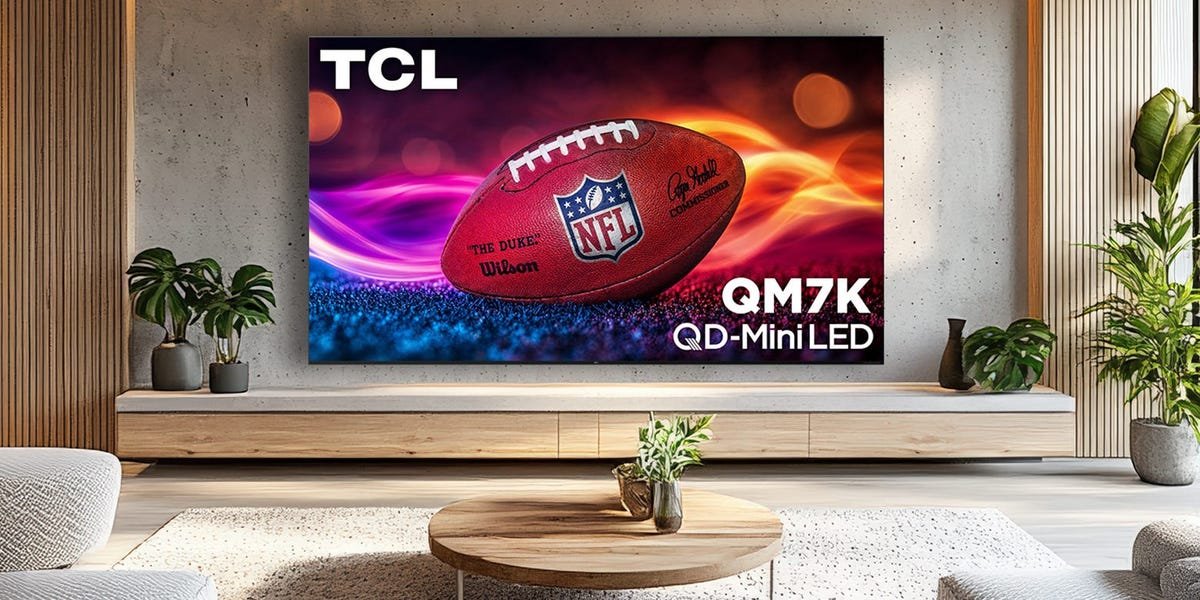
March Madness is here, which makes it the perfect excuse to upgrade your TV setup for the ultimate tournament watch party. After testing tons of TVs as a professional reviewer, I’ve learned that some models simply handle sports better than others. The best TVs for sports combine bright, punchy picture quality with large screen sizes, so fast-paced action stays clear and immersive rather than looking dim or blurry.
If you want a premium pick, the Samsung S95F OLED is one of the best sports TVs you can buy right now. Its excellent anti-reflective screen makes a big difference when you’re watching games in a bright living room, and its wide viewing angles mean everyone gets a great view, even if they’re off to the side. If you’d rather spend less, the TCL TCL QM7K QLED is a great value alternative. It doesn’t have Samsung’s advanced anti-glare coating or ultra-wide viewing angles, but it still delivers a bright, impactful picture — and it comes in massive 98-inch and 115-inch sizes that feel tailor-made for game day.
Below, you’ll find our full picks for the best TVs for sports, along with a few buying tips to help you choose the right model for your space and budget.
Our top picks for the best TVs for sports
Best anti-glare screen: Samsung S95F OLED 4K TV – See at Amazon
Best midrange model: TCL QM7K QLED 4K TV – See at Amazon
Best anti-glare screen
Samsung 65-inch S95F OLED 4K TV
The S95F is Samsung’s latest flagship 4K TV. It’s one of the top high-end displays available, utilizing an advanced QD-OLED panel with a matte anti-glare screen.
The Samsung S95F is one of the best sports TVs available. This high-end display features an OLED panel and delivers fantastic picture quality across the board. It also features a unique anti-glare screen, making it particularly well-suited for watching sports in well-lit rooms.
Although most TVs use a glossy or semi-glossy screen, which are prone to mirror-like reflections, the S95F uses a matte screen with anti-glare properties. When I reviewed the S95F, I was wowed by how well this screen works. I could still make out some faint, dispersed reflections in certain instances, but the TV offers a game-changing experience for anyone who struggles with glare in their room. This makes the S95F perfect for sports fans who watch games during the day in spaces with windows that let in sunlight.
Les Shu/Business Insider
However, the matte screen has some drawbacks worth noting. The way the screen disperses light causes dark scenes to appear a bit flat and hazy when watching TV with the lights on. This isn’t really noticeable when watching bright sports content, but it can be distracting when watching certain movies and TV shows. So, while there is a clear trade-off, the benefits outweigh the downsides for those who hate reflections.
The S95F’s OLED panel also offers wide viewing angles, ensuring that colors and contrast remain accurate even when you’re sitting to the side of the TV. This is great for when you have guests over for watch parties, and they’re seated all around the room. The S95F is also one of the brightest OLED displays on the market. I measured a peak of 2,170 nits during my testing. The only OLED TV that gets brighter is the LG G5. Coupled with the TV’s pixel-level dimming, this high brightness enables excellent high dynamic range (HDR) performance.
HDR produces a more impactful image with higher contrast and a wider color range. It’s supported when watching movies and TV shows on many on-demand streaming services and 4K Blu-ray discs. Typical live-TV sports broadcasts are still limited to standard dynamic range (SDR), but many big events, like the Super Bowl, are shown in HDR. Likewise, some games on streaming services like Prime Video and Peacock are shown in HDR.
Samsung’s S95F is available in 55-, 65-, 77-, and 83-inch sizes. The 55-, 65-, and 77-inch models use QD-OLED panels while the 83-inch model uses a WOLED panel. All four sizes offer similar brightness, but the QD-OLED options offer slightly better color performance.
Read our full Samsung S95F review.
Check out our guides to the best Samsung TVs, best OLED TVs, and best TVs for picture quality.
Best midrange model
TCL 65-inch QM7K QLED 4K TV
The TCL QM7K is an excellent midrange QLED TV. Its Mini LED backlight delivers high brightness, and it has better contrast control and wider viewing angles than older models.
The QM7K is one of the top midrange TVs available thanks to its excellent brightness performance and competitive pricing. It’s also available in various sizes, making it ideal for sports fans who want the largest screen possible.
Unlike the pricier Samsung S95F, the QM7K is a QLED TV rather than an OLED. As a result, the QM7K’s black levels aren’t as precise and deep, but it performs quite well for its class. Check out my QLED vs. OLED comparison for more details on how the two display types compare.
Steven Cohen/Business Insider
The QM7K’s contrast control is excellent for a QLED, with fewer halos and improved uniformity than last year’s model. It also delivered fantastic HDR colors and impressive brightness during my testing. I measured a peak of around 1,800 nits in HDR, which beats rival TVs in this price range from Samsung, Sony, and LG. It can also deliver similarly high brightness when displaying SDR content, which is how most sports games are broadcast.
Although this set’s glossy display is more prone to reflections than the S95F’s matte screen, you can boost the QM7K’s brightness to help minimize reflections. Viewing angles aren’t as wide as those of the Samsung S95F OLED, but the TV’s off-axis performance is a lot better than older TCL models. Colors and brightness still shift from an angle, but the effect is more subtle, so you get a solid experience when seated to the side.
The 65-inch QM7K is often available for under $1,000, which is a great deal for this level of performance. You can also find extra-large options in 75-, 85-, and 98-inch sizes at great discounts. The 98-inch TV, in particular, is a fantastic value, making it an ideal fit for those who want a massive screen without an outrageously high price tag. There’s also an even bigger 115-inch option, but the cost soars dramatically at that size.
Check out our guides to the best TCL TVs, best TVs, and best smart TVs.
How we test TVs for sports
Steven Cohen/Business Insider
To select the best TVs for sports, our team tested several models across brands and budgets. We chose the top two displays that best balanced sports-friendly features and value. Our testing factors included picture clarity, contrast ratio, color range, and smart TV navigation speed. For the best sports TVs, we also placed an emphasis on specific performance elements that deliver the best experience when watching sports, such as brightness, viewing angles, reflection handling, and a large screen size.
To measure a TV’s brightness, we use a colorimeter and test patterns from the Spears & Munsil UHD HDR Benchmark 4K Blu-ray disc. But while test patterns and objective measurements are helpful, they’re no substitute for actually watching real-world content on a display to see how different kinds of material look in action. To better understand how a TV performs in regular use, we watch a variety of content specifically chosen to evaluate its shadow detail, HDR capabilities, sharpness, upscaling, motion, and other key features.
Our demo material includes movies, TV shows, and sports broadcasts across 4K resolution (Ultra HD), high definition (HD), and standard definition (SD) sources like streaming services, cable, and Blu-ray discs. We also watch content in both bright and dark rooms.
For more info on our review methodology, visit our breakdown of how we test tech products.
Meet the expert behind this guide:
Steven Cohen, senior tech editor: I oversee tech product buying guides for Business Insider’s Reviews team, and I’ve spent years testing TVs. When I review a TV, I watch a lot of real-world content — including plenty of sports — so I know exactly which features make the biggest difference on game day. My team and I also use professional calibration tools and test patterns to measure things like brightness and color accuracy, but specs only tell part of the story. You really have to watch live sports to see how a TV handles motion, color, and brightness, and the picks in this guide impressed us with smooth, sharp, and vibrant performance.
Learn more about the Reviews team at Business Insider.
Sports TV FAQs
Steven Cohen/Business Insider
Is a 4K TV beneficial for sports?
Whether you watch TV via cable, satellite, antenna, or a livestreaming service, many sports broadcasts are still presented in a high-definition resolution of 720p, 1080i, or 1080p. That said, major games, such as championships, are occasionally shown in higher quality. For instance, the 2026 Super Bowl was broadcast in 4K resolution with HDR on Peacock and NBC (via supported providers).
Games natively broadcast in 4K will look best on a 4K TV, but all 4K TVs can automatically upscale lower-resolution sources, improving image quality. The resulting image isn’t as sharp as an actual 4K source, but it’s still an improvement.
Generally speaking, the question of whether a 4K TV is worth it for sports is largely moot, as 4K TVs have become the industry standard. Major brands no longer sell HDTVs larger than 43 inches, so if you’re buying a new TV for sports viewing in 2026, the vast majority of your options will be 4K.
What size TV is best for sports?
If you want the best TV for watching sports, we recommend choosing the largest display that still fits within your space, budget, and picture-quality requirements.
Bigger TVs cost more than smaller options with comparable specifications, so depending on your budget, you may need to decide between a larger display with midrange performance or a smaller TV with a higher-end picture. This ultimately comes down to personal preference.
For TV recommendations across different sizes, check out our size-specific buying guides:
