


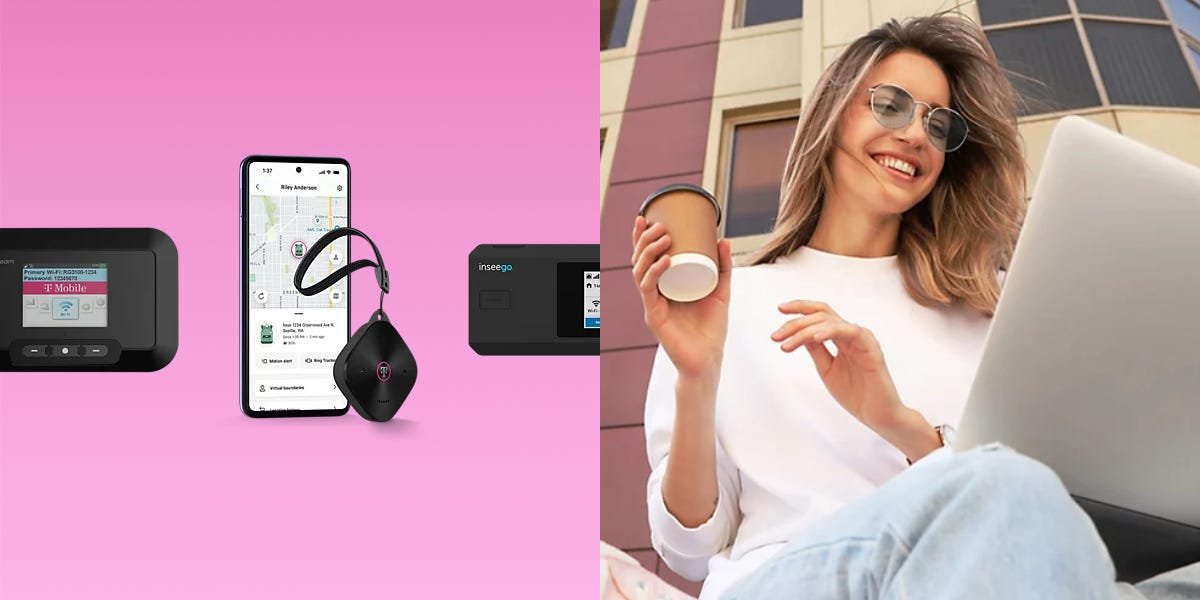
The internet makes the world go round, whether you’re browsing social media on vacation for the latest trends or working remotely. Using a personal hotspot is a solid way to ensure you never lose connection — and T-Mobile is here to help. More than just a phone service carrier, let’s look at how T-Mobile’s mobile internet plans compare to cell plans and which is right for your needs.
Browse T-Mobile plans and dedicated hotspot devices
T-Mobile offers both stand-alone hotspot devices and personal hotspot mobile plans that use your smartphone. Either way, you’ll be able to maintain reliable network connectivity from anywhere T-Mobile’s network covers, which is most of the US.
I’ve broken down T-Mobile’s hotspot plans and prices below, along with any questions you may have about the functionality of owning one.
What is a mobile hotspot?
A mobile hotspot lets you share your phone’s cellular data connection with other devices, such as a laptop, tablet, or another phone. Instead of connecting to a traditional WiFi network, your device connects to your phone (or a dedicated hotspot device), which acts as a portable wireless router. As long as you have cellular service, you can create a WiFi network almost anywhere, making hotspots especially useful when you’re traveling, working remotely, or don’t have access to a reliable internet connection.
For many users, a hotspot is a convenient backup rather than something they use every day. It can come in handy for checking email from a laptop at a coffee shop, joining a video meeting while on the road, streaming entertainment during a trip, or keeping kids connected in the car. Most wireless carriers, T-Mobile included, feature some amount of hotspot data with their plans, though speeds may slow after you reach your monthly allotment.
T-Mobile’s hotspot plans and prices
The right plan for you will depend on which you prefer: a stand-alone hotspot or an additional feature on an existing phone plan. I’ve broken down both below using T-Mobile’s current pricing.
T-Mobile mobile hotspot plans*
T-Mobile phone plans with hotspot built in*
*Prices and plan details checked July 2026. Offers and terms may change.
T-Mobile’s hotspot plans give your device connectivity in the US, Canada, Mexico, and several other countries, depending on the plan you opt for. This may be all you need, especially if you don’t need a phone plan. While opting for only a hotspot plan keeps things simple, it greatly reduces the capabilities you have at your disposal.
Whereas signing up for T-Mobile’s Experience Beyond or Experience More plans, you get hotspot coverage (60GB on More and Unlimited on Beyond) bundled with your cell service, which offers unlimited regular data to back it up. They also require using your smartphone as your router rather than a dedicated hotspot device.
An important factor to consider is that the total cost of ownership isn’t limited to just the monthly fees above. Keep in mind that the hardware price (either your smartphone or hotspot device), your monthly plan, and taxes and fees will be your total cost of ownership in the end.
T-Mobile hotspot devices
For shoppers looking to dedicate a device to hotspot usage, T-Mobile also has you covered with the hardware for the job. When you buy through the carrier, you can pay upfront or opt for a monthly payment plan.
Dedicated hotspot vs. using your phone as a hot spot
There are two main ways to use a hotspot: through your smartphone or with a dedicated hotspot device. A mobile hotspot uses your phone’s cellular data through T-Mobile to create a WiFi network for other devices, while a dedicated hotspot is a stand-alone gadget built specifically for sharing internet access. Both accomplish the same thing, but they’re designed for different types of users.
For the average user, a mobile hotspot is the simplest option. It’s already built into your phone, there’s no extra device to carry, and many wireless plans include at least some hotspot data at no additional cost. The tradeoff is that using your phone as a hotspot can drain its battery quickly, and performance may slow if you’re using your phone for other tasks at the same time. Many carriers also place stricter limits on hotspot data than on regular smartphone data.
Dedicated hotspots are a better fit for heavier internet users or anyone who regularly needs to connect multiple devices. Because they’re designed solely for internet sharing, they typically offer better battery life, stronger WiFi performance, and support for more connected devices than a smartphone. The downside is cost: you’ll need to buy the device and usually pay for a separate data plan. For occasional travel or remote work, a phone hotspot is often enough. If you’re replacing home internet, working on the road every day, or connecting a family or team, a dedicated hotspot can be a better investment.
How to set up and secure a T-Mobile hotspot
Setting up a smartphone T-Mobile hotspot is as simple as heading to your settings, setting your device as discoverable by other devices, and then connecting to it as you would any other WiFi network with a password.
If you’re unsure how to set up your dedicated hotspot device, T-Mobile offers helpful walkthroughs and tips on its website. Here’s how to get started:
Find your device’s WiFi Name (SSID) and password inside its back panel.Ensure the SIM card is inserted before replacing the battery and back cover.Hold the Power button for three seconds until all LEDs light up.Connect your laptop, smartphone, tablet, or other device to your hotspot by selecting its name in your WiFi settings.
How much hotspot data do you need?
Your data needs depend on your usage plans. Do you need a hotspot for regular remote work, or are you planning casual, irregular use when out of the house? For infrequent, light users, T-Mobile’s 5GB plan will likely be enough for your month. However, if you’re planning to rely on your hotspot for full-time work and to share with multiple users, the 100GB hotspot plan or the Experience Beyond cell plans may be worth considering.
Follow our Instagram page and WhatsApp channel for more deals and buying guides.
