


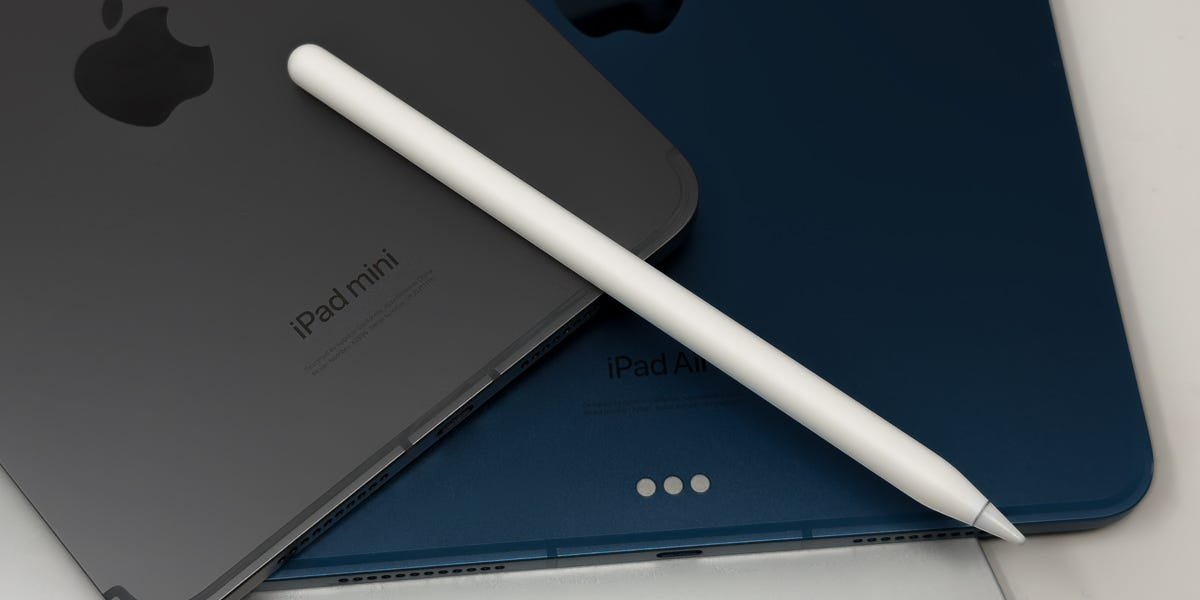
Since 2015, Apple has released four versions of the Apple Pencil, and they’re not all interchangeable. Not every model works with every iPad, which can make choosing the right one confusing. But don’t worry, we’ve broken down the ins and outs of Apple Pencil compatibility so you can confidently pick the right pairing.
The Apple Pencil Pro and Apple Pencil (USB-C) are the brand’s newest options. Both work with the latest iPad Air, iPad Pro, and iPad Mini models. The Apple Pencil USB-C also works with the latest standard iPad. You can learn more about Apple’s current tablets in our breakdown of the newest iPads.
You may also still find the Apple Pencil (2nd generation) at some stores. That model only works with certain older iPads and doesn’t support Apple’s newest tablets. The original Apple Pencil from 2015 falls into a similar category. It’s mostly compatible with previous-generation iPads, but it can also work with the latest standard iPad if you have the right adapter.
Below, you’ll find a full breakdown of Apple Pencil compatibility in 2026. We’ve listed each Apple Pencil model from newest to oldest, along with the iPads it supports.
Apple Pencil Pro, released in 2024
Apple
Apple Pencil Pro
The Apple Pencil Pro features new squeeze and roll sensors for extra control, functionality, and haptic feedback. It is only compatible with the iPad Air, Pro, and Mini models released in 2024 or 2025.
The latest Apple Pencil model, the Apple Pencil Pro, is only compatible with the following recent iPads:
iPad Pro 11- and 13-inch 2024 (M4), 2025 (M5)iPad Air 11- and 13-inch 2024 (M2), 2025 (M3)iPad Mini 2024 (A17 Pro)
Apple Pencil (USB-C), released in 2023
Apple; Business Insider
Apple Pencil (USB-C)
The Apple Pencil (USB-C) is compatible with any iPad that has a USB-C port. These days, that’s any iPad Apple sells today. It charges via USB-C, but it can still attach magnetically to your iPad. It’s a little more basic than the 2nd-gen Apple Pencil, but it does support Apple’s Hover feature for the iPad Pros.
The Apple Pencil (USB-C) is compatible with more iPads than any other Apple stylus, including tablets that date back to 2018:
iPad Pro 11- and 13-inch 2024 (M4), 2025 (M5)iPad Pro 11-inch 2018 (1st gen), 2020 (2nd gen), 2021 (3rd gen), 2022 (4th gen)iPad Pro 12.9-inch 2018 (3rd gen), 2020 (4th gen), 2021 (5th gen), 2022 (6th gen)iPad Air 11- and 13-inch 2024 (M2), 2025 (M3)iPad Air 2020 (4th gen), 2022 (5th gen)iPad 2022 (10th gen), 2025 (11th gen)iPad Mini 2024 (A17 Pro)iPad Mini 2021 (6th gen)
Apple Pencil (2nd generation), released in 2018
Sarah Saril/Business Insider
Apple Pencil (2nd Generation)
The second-generation Apple Pencil with wireless charging is a more advanced option than the Apple Pencil (USB-C), but it’s not supported on the 2024 or 2025 iPads.
The Apple Pencil (2nd generation) is not compatible with any 2024 or 2025 iPad models. It only supports the following previous-generation tablets:
iPad Mini 2021 (6th gen)iPad Air 2020 (4th gen), 2022 (5th gen)iPad Pro 12.9-inch 2018 (3rd gen), 2020 (4th gen), 2021 (5th gen), 2022 (6th gen)iPad Pro 11-inch 2018 (1st gen), 2020 (2nd gen), 2021 (3rd gen), 2022 (4th gen)
Apple Pencil (1st generation), released in 2015
YouTube/Business Insider
Apple Pencil (1st Generation)
The first-generation Apple Pencil is best for earlier iPad models; most recent iPads don’t support it. For the 11th-generation iPad, we recommend opting for the Apple Pencil (USB-C) instead.
The original Apple Pencil is harder to find in stock at some stores. It technically supports the latest standard iPad with an adapter, but otherwise is only compatible with discontinued iPad models.
iPad Mini 2019 (5th gen)iPad 2018 (6th gen), 2019 (7th gen), 2020 (8th gen), 2021 (9th gen)iPad 2022 (10th gen), 2025 (11th gen) with a USB-C to Apple Pencil adapteriPad Air 2019 (3rd gen)iPad Pro 12.9-inch 2015 (1st gen), 2017 (2nd gen)iPad Pro 10.5-inch 2017iPad Pro 9.7-inch 2016
How to tell which iPad model you have
Antonio Villas-Boas/Business Insider
Checking your iPad’s model takes only three taps at most. Go to Settings > General > About. On the top right, you should see your iPad’s “Model Name,” which lists the iPad family (like Mini or Pro) and the generation number.
Alternatively, you can find your iPad’s model number on the back of the iPad at the bottom in tiny letters next to the word “Model” and then look it up with a web search.
Apple Pencil FAQs
Is an Apple Pencil worth it?
iPad users who enjoy drawing or frequently take handwritten notes can certainly find value in the Apple Pencil, and it may be an essential tool for those who use any of the best iPads professionally for visually intensive tasks.
Even if you don’t typically draw or take handwritten notes, the ease and effectiveness of the Apple Pencil could change that. You may also find it convenient to navigate apps or the tablet’s interface.
Which Apple Pencil is best for my iPad?
If you have one of the latest iPad Air, Pro, or Mini models released in 2024 or 2025, you should opt for the Apple Pencil Pro. It offers exclusive advanced features, including a “squeeze” function that brings up a new customization toolbar and haptic feedback.
Meanwhile, the Apple Pencil (USB-C) is a less expensive, more basic model that’s also built for Apple’s current iPads. Though it’s missing some of the Pro model’s features, it has the added benefit of supporting the latest standard iPad, which the Apple Pencil Pro does not.
If you have a previous-generation iPad model, you might want to opt for the older but higher-end Apple Pencil (2nd generation), which includes every Apple Pencil (USB-C) feature and more. Notably, the Apple Pencil (2nd generation) has wireless pairing and charging, which is more convenient than the Apple Pencil (USB-C)’s wired charging. Artists will also value the Apple Pencil (2nd generation) for its pressure sensitivity and double-tap feature for changing drawing tools.
Certain older iPads are only compatible with the Apple Pencil (1st generation). While the original Apple Pencil supports the latest 11th-generation iPad, it requires an adapter to charge; we recommend the Apple Pencil (USB-C) instead for its additional features and more straightforward charging with the current standard iPad.
Do Apple Pencils work on an iPhone?
No. Apple Pencils don’t work with the iPhone, not even as a simple stylus.
Do Apple Pencils come with extra tips?
Only the Apple Pencil (1st generation) comes with an extra tip. The Apple Pencil (2nd generation), Apple Pencil (USB-C), and Apple Pencil Pro do not come with extra tips.
Additional tips, compatible with every Apple Pencil, can be bought separately from Apple and third-party retailers like Amazon.
You can purchase logo and accolade licensing to this story here.
Disclosure: Written and researched by the Insider Reviews team. We highlight products and services you might find interesting. If you buy them, we may get a small share of the revenue from the sale from our partners. We may receive products free of charge from manufacturers to test. This does not drive our decision as to whether or not a product is featured or recommended. We operate independently from our advertising team. We welcome your feedback. Email us at reviews@businessinsider.com.
