

Close Menu
  • Home
  • AI
  • Education
  • Entertainment
  • Food Health
  • Health
  • Sports
  • Tech
  • Well Being

Subscribe to Updates

Subscribe to our newsletter and never miss our latest news

Subscribe my Newsletter for New Posts & tips Let's stay updated!

What's Hot

Everyone is navigating AI security in real time — even Google

May 24, 2026

Sundar Pichai Says Graduates Booing AI Will Live With Tech’s Impact

May 24, 2026

I tried Amazon’s Bee wearable and am both intrigued and slightly creeped out

May 24, 2026
Facebook X (Twitter) Instagram
  • Home
  • About Us
  • Advertise With Us
  • Contact us
  • DMCA
  • Privacy Policy
  • Terms & Conditions
Facebook X (Twitter) Instagram
IQ Times Media – Smart News for a Smarter YouIQ Times Media – Smart News for a Smarter You
  • Home
  • AI
  • Education
  • Entertainment
  • Food Health
  • Health
  • Sports
  • Tech
  • Well Being
IQ Times Media – Smart News for a Smarter YouIQ Times Media – Smart News for a Smarter You
Home » How to Set up Your Passport in Apple’s Digital ID
Tech

How to Set up Your Passport in Apple’s Digital ID

IQ TIMES MEDIABy IQ TIMES MEDIANovember 13, 2025No Comments3 Mins Read
Facebook Twitter Pinterest LinkedIn Tumblr Email
Share
Facebook Twitter LinkedIn Pinterest Email


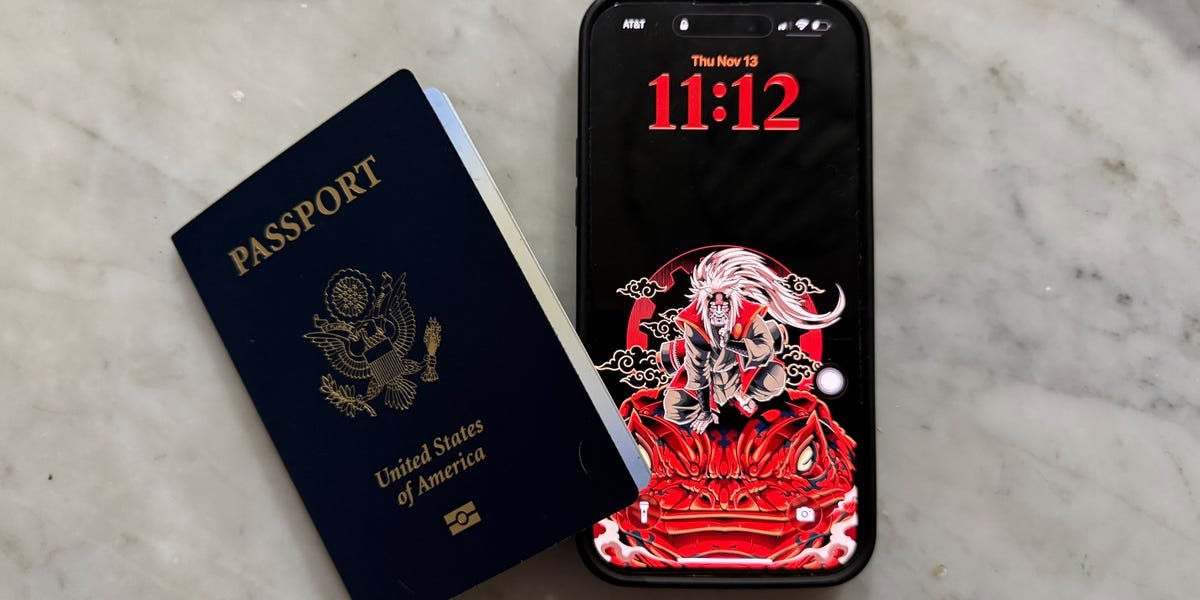
Apple’s latest iPhone feature could save you from having to fumble for your passport while traveling.

The tech giant launched on Wednesday a way for iPhone and Apple Watch users to carry a virtual version of their US passport using information from the real thing. It can be used for domestic travel at TSA checkpoints at more than 250 US airports, the company said.

The new Digital ID feature in the latest version of iOS 26 adds passports to a range of government-issued IDs that can be included in the Apple Wallet. The iPhone maker touted the security and privacy of the feature.

“We’re excited to expand the ways users can store and present their identity — all with the security and privacy built into iPhone and Apple Watch,” Jennifer Bailey, vice president of Apple Pay and Apple Wallet, said in the news release.

Apple said Digital ID expands access to virtual versions of government IDs and could present an additional ID option for people without Real ID-compliant identification. It can also be used to book some flights or hotels.

However, this new feature doesn’t mean you should leave your physical passport at home. Digital ID can’t be used for international travel or crossing borders, Apple said.

However, for domestic travel, Digital ID allows you to carry your passport, boarding pass, and ID all in one place on your iPhone or Apple Watch.

Here’s how to set it up.

Grab your passport and open up Apple Wallet

Composite image of Apple Wallet

Your Apple Wallet stores virtual versions of various cards.

Jordan Hart/Business Insider


Apple Wallet is where you store your debit or credit cards, transit cards, boarding passes, and more. Starting Wednesday, your Digital ID can be found under the Driver’s License and ID card tab.

Before setting up Digital ID, make sure you have your passport in hand. You’ll need the physical copy to create your virtual one.

You’ll find out more about what Digital ID can do

Composite image of Digital ID setup

Make sure you have your passport handy before proceeding.

Jordan Hart/Business Insider


Once you’ve confirmed that you want to proceed, Apple will provide you with information about Digital ID. Then, it’s time to open your US passport to the photo page and scan it with your iPhone’s back camera.

Keep your passport open

Apple Wallet Digital ID setup

Your phone will act as a scanner for the chip embedded in your passport.

Jordan Hart/Business Insider


Turn to the back of your passport book, and find the barcode. Don’t worry if you, like me, don’t know where to find this; Apple displays a helpful image to guide you. Your phone should read the chip embedded in your passport.

Get ready to take a few selfies

Composite image of Apple Wallet verification

You’ll have to use your front camera for face scans and verification.

Jordan Hart/Business Insider


To verify your identity, Apple requires a clear image of your face from multiple angles. This means taking a still photo, plus doing a few movements to get a proper scan.

I had to close my eyes, tilt my head from side to side, and smile before the verification was complete.

Wait for the verification to process

Composite image of Digital ID

You’ll receive a push notification once your Digital ID is ready.

Jordan Hart/Business Insider


Now that all of your selfies and scans are complete, your verification should be processing. No need for further action — Apple will let you know once it’s done.

For me, it took only one minute to go through. Then, I was all set to use my Digital ID next time I travel domestically.


Source link

Share. Facebook Twitter Pinterest LinkedIn Tumblr Email
IQ TIMES MEDIA
  • Website

Related Posts

Sundar Pichai Says Graduates Booing AI Will Live With Tech’s Impact

May 24, 2026

Business Insider Email Newsletters: Subscribe Now

May 24, 2026

How Non-Techies Are Building No-Code Apps to Solve Life Problems

May 24, 2026
Add A Comment
Leave A Reply Cancel Reply

Editors Picks

Scott Remer makes a good living as a National Spelling Bee coach

May 23, 2026

Ex-Columbia student Mahmoud Khalil asks Supreme Court to intervene in his deportation fight

May 22, 2026

Seniors roll into Michigan high school during annual Tractor Day celebration

May 22, 2026

Charges dismissed against former assistant principal accused after teacher shot

May 21, 2026
Education

Scott Remer makes a good living as a National Spelling Bee coach

By IQ TIMES MEDIAMay 23, 20260

When Dev Shah won the Scripps National Spelling Bee in 2023 and Faizan Zaki took…

Ex-Columbia student Mahmoud Khalil asks Supreme Court to intervene in his deportation fight

May 22, 2026

Seniors roll into Michigan high school during annual Tractor Day celebration

May 22, 2026

Charges dismissed against former assistant principal accused after teacher shot

May 21, 2026
IQ Times Media – Smart News for a Smarter You
Facebook X (Twitter) Instagram Pinterest Vimeo YouTube
  • Home
  • About Us
  • Advertise With Us
  • Contact us
  • DMCA
  • Privacy Policy
  • Terms & Conditions
© 2026 iqtimes. Designed by iqtimes.

Type above and press Enter to search. Press Esc to cancel.